Showing posts with label Programming. Show all posts

Thursday, May 19, 2016

FuzzBuzz and the Art of Programming

Programming: It's as much an art as it is a science. The general distinction between art and science being the realm of subjectivity - in other words, while in the realm of science, "correctness" is still debated, nobody is under the illusion that there is more than one "correct" solution. Art, on the other hand, has no single "correct solution," though at the same time, the merits of each solution are generally weighed against each other solutions, debated, and so on.

Programming is a mix of both: There are certainly "solutions" - algorithms, programs, etc. - that can be objectively proven without a shadow of a doubt to be ineffective or outright incorrect. There is also the possibility of an algorithm that solves the solution, but is objectively inferior to another, such as an algorithm that runs in O(n) time versus one that runs in O(1) time. On the other hand, there is a fair amount of subjective nuance involved in arriving to a correct solution. Design methodologies, languages, and APIs all come and go in a technological blink of an eye, and each will have its pros and cons, its proponents and its skeptics.

Nobody - sane, at least - involved in all this is under the impression that there is One True Way to do things. You could lock several seasoned programmers up in separate rooms, all of whom subscribe to the exact same design methodologies and use the exact same programming languages, ask them to design a program, and they would all likely emerge with completely separate, and likely equally or near-equally satisfactory, solutions. So, without further ado, let's talk about a simple programming problem, and some possible solutions to solve it. At the end, we'll discuss for a quick minute about which of these solutions someone might actually end up using.

The problem in question is one I've named FuzzBuzz, which was definitely not a reference to an overused programming interview question. To solve FuzzBuzz, one must write a program that considers the numbers from 1 to 100, inclusive. For each number, if the number in question is even, the program must print "Fuzz." If the number is odd, the program must print "Buzz." If the number is a multiple of 3, the program should ignore its even or odd nature and print "FuzzBuzz" instead.

This is an intentionally simplified problem, both to make it easy to make multiple solutions, and to make the solutions themselves clearer. By the time you finish reading this sentence, I bet you'll probably have thought of at least one way to solve this problem, but let me go over a couple first.

First up is probably the one that came to everyone else's mind, just a simple restating of the problem's definition in code.

for x in xrange(1, 101): # range/xrange stops at the integer before the 2nd argument
    if x % 3 == 0:
        print "FuzzBuzz"
    elif x % 2 == 0:
        print "Fuzz"
    else:
        print "Buzz"

Not really a whole lot to talk about with this one; like I said earlier, it's probably the first one you thought up yourself - it was the first one I came up with, as well. Honestly, if this were a real-world problem, most people would (and probably should) stop here. But innovation never sprung from a contented mind, right?

So, for our next solution, let's limit ourselves in some way. The modulo operator is pretty central to the prior solution, so let's take that out next.

def is_multiple_of(number, mul):
    """Return True if number is multiple of mul, false otherwise.
    Okay, so here's how this works: Normally, Python - and most
    other programming languages - chops off the decimal part of the quotient
    if both terms are integers, i.e, integer division is performed. However,
    if one of the terms is a float, then the decimal part will be kept.
    Any number plus a decimal part is going to be greater than simply the number itself,
    so we compare the two. If number is in fact a multple of mul, then there will be
    no decimal part, and both sides of the expression will be equal."""
    if float(number) / mul == number / mul:
        return True
    else:
        return False


def multiple_of_three(number):
    return is_multiple_of(number, 3)


def multiple_of_two(number):
    return is_multiple_of(number, 2)
    
    
for x in xrange(1, 101):
    if multiple_of_three(x):
        print "FuzzBuzz"
    elif multiple_of_two(x):
        print "Fuzz"
    else:
        print "Buzz"

Still pretty straightforward. Not having access to the modulo operator means we had to basically reinvent one ourselves, though. But we could go further still, couldn't we? How about no floating-point math?

def is_multiple_of(number, mul):
    """Return True if number is multiple of mul, False otherwise.
    So again we're exploiting the properties of integer division.
    For any divisor, there are at least two pairs of two consecutive dividends that will return
    the exact same quotient under integer divison, and the smaller number in each
    is a multiple of the divisor. All we have to do is check that number
    is the smaller of the pair. We do that by seeing if the result changes
    if we subtract 1. If so, number is the smaller of the pair (i.e, number - 1
    is part of some other pair), so return True.
    Otherwise, we were given the larger of the pair, or alternatively,
    some completely different number, so return False.
    """
    if number / mul > (number - 1) / mul:
        return True
    else:
        return False


def multiple_of_three(number):
    return is_multiple_of(number, 3)


def multiple_of_two(number):
    return is_multiple_of(number, 2)
    
    
for x in xrange(1, 101):
    if multiple_of_three(x):
        print "FuzzBuzz"
    elif multiple_of_two(x):
        print "Fuzz"
    else:
        print "Buzz"


Now things are getting ever-so-slightly hairy. But let's get dangerous now. How about no Boolean logic whatsoever?

from collections import deque
sequence = deque(["Buzz", "Fuzz", "FuzzBuzz", "Fuzz", "Buzz", "FuzzBuzz"])


def next_in_sequence():
    """Return next string in FuzzBuzz sequence.
    The FuzzBuzz problem follows a pattern:
        * Odd
        * Even
        * Multiple of 3
        * Even
        * Odd
        * Multiple of 3
    All we have to do is keep track of where we are in the sequence.
    To accomplish this, we use a deque and a little bit of pushing and popping
    to keep from having to either pre-generate the entire sequence beforehand,
    or from having to use an iterator.
    """
    next = sequence.popleft()
    sequence.append(next)
    return next


for x in xrange(1, 101):
    print next_in_sequence()

Alright, now we're talking. Admittedly, you probably saw this one coming if you were running the programs alongside reading this article - once you recognize the pattern, this solution is pretty obvious. But let's make one final push: No modulo operator, no math, no Boolean logic, and no loops.

from collections import deque
import sys
# Python allows the user to manually set the recursion limit.
# So, we exploit this by setting it to 101, which simulates the number of
# loop iterations we'd execute if we were using a loop.
# Eventually, we'll exceed this number, and Python will throw
# a RuntimeError, essentially accomplishing the same thing as
# a regular for/while loop.
sys.setrecursionlimit(101)


sequence = deque(["Buzz", "Fuzz", "FuzzBuzz", "Fuzz", "Buzz", "FuzzBuzz"])


def next_in_sequence():
    """Print next string in FuzzBuzz sequence.
    This is identical to the deque solution in sequence.py, save for
    printing out the next string instead of returning it, and the recursion bit,
    so go see sequence.py for an explanation of what's going on here.
    """
    next = sequence.popleft()
    sequence.append(next)
    print next
    next_in_sequence()


try:
    next_in_sequence()
except RuntimeError:
    # swallow the eventual exception due to recursion taking one step too many
    pass

I feel now is a good time to stop and discuss the various solutions, now that we have an ample amount. Like I mentioned earlier on, if this were a real-world problem, I imagine most people using the first solution. It's clear, concise, and gets its point across without needing much in the way of hand-holding. It's easy to extend if we need to tackle additional multiples, as well.

Most of the rest of the solutions are pretty silly if we examine them without the restrictions we came up with. The modulo operator is a pretty useful tool for this problem, so it makes no sense to try to work around it, or reimplement it with our own code. I could see an argument being made for the non-recursive sequence solution - some might consider it more "elegant" than the original solution, though obviously that's up for debate.

Some might also think the sequence version is faster, considering the O(1) performance time of deque.popleft() and deque.append() (collections.deque is implemented as a doubly-linked list under the hood), but at least on my machine, the initial solution is faster when testing 10,000,000 numbers, completing in about 3.1 seconds versus 3.3 seconds for the sequence version. After some fiddling around, I was able to produce a variant on the sequence solution that ran in about 2.9 seconds on the same set:

from collections import deque
sequence = deque(["Buzz", "Fuzz", "FuzzBuzz", "Fuzz", "Buzz", "FuzzBuzz"])


# Binding oft-used functions to local scope results in a speed increase
# due to decreased variable lookup time
popleft = sequence.popleft
append = sequence.append


for x in xrange(1, 101):
    # Moving the function's code to the loop body removes the function call,
    # which actually increases performance slightly
    next = popleft()
    append(next)
    print next

By this point though, we've lost a fair amount of readability, which was one of the main reasons to use the sequence solution. On the upside, we have a reasonable increase in speed, which might be useful in a performance-critical application. On a side note, the performance of the other solutions is pretty abysmal in comparison; the modulo-less solution ran in about 8.5 seconds, whereas the float-less solution ran in about 6 seconds. As for the recursion-based solution, it segfaulted on my machine before it could actually complete the 10,000,000-iteration loop.

So, to summarize: Programming is about 50% art and 50% science; there's usually more than one demonstrably correct solution to the problem, and on top of that, there's often some fair room for debate about which of the solutions one should proceed with. We presented a simple programming problem, came up with some possible solutions for it, and discussed their pros and cons.

As an added bonus, I've set up a Github repository at http://github.com/DangerOnTheRanger/fuzzbuzz that contains all the solutions in this article, as well as reference output to test your own solutions with. If you come up with a solution you like, regardless of its performance or what language it's written in, send me a pull request, and I'll add it to the repo.

Thursday, July 19, 2012

How to use sys.meta_path with Python

Update: See this article for a Python 3 take on import hooks.  

I was asked on Reddit a short while ago as to how to use sys.meta_path, which is an extremely valuable tool that can be used to implement import hooks. Since it seems there's little documentation as to how to use it properly, I decided to write an example that shows basic usage of sys.meta_path. I posted the example on Reddit in the thread I linked to, but I've put it here for posterity - enjoy. :)

import sys


class VirtualModule(object):

   def hello(self):
      return 'Hello World!'


class CustomImporter(object):

   virtual_name = 'my_virtual_module'

   def find_module(self, fullname, path=None):
      """This method is called by Python if this class
         is on sys.path. fullname is the fully-qualified
         name of the module to look for, and path is either
         __path__ (for submodules and subpackages) or None (for
         a top-level module/package).

         Note that this method will be called every time an import
         statement is detected (or __import__ is called), before
         Python's built-in package/module-finding code kicks in.
         Also note that if this method is called via pkgutil, it is possible
         that path will not be passed as an argument, hence the default value.
         Thanks to Damien Ayers for pointing this out!"""

      if fullname ==  self.virtual_name:
      
         # As per PEP #302 (which implemented the sys.meta_path protocol),
         # if fullname is the name of a module/package that we want to
         # report as found, then we need to return a loader object.
         # In this simple example, that will just be self.

         return self

      # If we don't provide the requested module, return None, as per
      # PEP #302.

      return None

   def load_module(self, fullname):
      """This method is called by Python if CustomImporter.find_module
         does not return None. fullname is the fully-qualified name
         of the module/package that was requested."""

      if fullname != self.virtual_name:
         # Raise ImportError as per PEP #302 if the requested module/package
         # couldn't be loaded. This should never be reached in this
         # simple example, but it's included here for completeness. :)
         raise ImportError(fullname)

      # PEP#302 says to return the module if the loader object (i.e,
      # this class) successfully loaded the module.
      # Note that a regular class works just fine as a module.
      return VirtualModule()


if __name__ == '__main__':

   # Add our import hook to sys.meta_path
   sys.meta_path.append(CustomImporter())

   # Let's use our import hook
   import my_virtual_module
   print my_virtual_module.hello()

Note: The original PEP that defined the sys.meta_path protocol is PEP #302, which you can read here.

Saturday, July 14, 2012

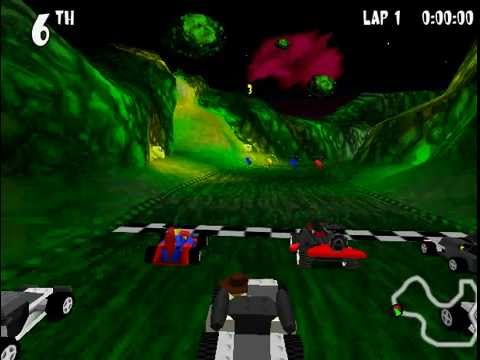
Reverse-engineering LEGO Racers 1 - part 1

First off, a brief description of LEGO Racers 1: It basically was a racing game released back in 1999 (and then re-released in 2001) where you could make your own car (and driver) out of LEGO bricks and then race it against half-a-dozen or so AI cars or a friend, on one of about two dozen tracks. Sounds fun, right? It is.


Sadly, since the game was released so long ago, it can be difficult to run it on a modern OS - the 1999 release of the game had DRM that required the disk, for example - not to mention there's quite a bit of dummied-out content (several shortcuts are missing, most famously from the Knightmare-athon track) that I and probably several others would love to play around with and modify. And that's why I've decided to write a drop-in replacement for the LEGO Racers 1 game engine.

It's not a new idea - I can bring up forum threads from up to 2 years ago of people attempting to mod LEGO Racers 1. That being said, these people are trying to mod the game itself, not create a replacement for LEGO Racers 1's game engine. I want to create a game engine instead of attempting to mod the game itself for several reasons:
  • A mod of the game still would have issues with the DRM and compatibility issues I previously mentioned; one would still need the original game to play the mod.
  • A mod of the game would not be able to add new content without removing existing content; I doubt, for instance, you could add new circuits, bricks, chassis, or piece sets (you unlocked the pieces of each bosses car when you beat them) without removing existing content.
  • A mod of the game would still be subject to the limitations of the original game engine - AI cars still wouldn't follow shortcuts, the AI behavior itself couldn't be changed, no new racing modes could be added, racing with more than 2 human players wouldn't be possible (and even then, you'd need a joystick), etc. In other words, only content would be moddable, not game logic.
There would be many advantages to making a game engine as well:
  • Not only would only the data files from the original game be required to play, but it would be feasible to create a replacement for the original data files as well, so you wouldn't even need the original game to play (ala PrBoom + freedoom).
  • A replacement for LEGO Racers 1's game engine would allow everything to be moddable - powerups, tracks, circuits, AI behavior (imagine the AI being a script the game engine runs instead of being part of the engine itself), bricks, piece sets, cutscenes, animations - everything.
  • Making a replacement game engine instead of modding the original game makes modding much easier and more approachable to a new modder.
Right now, I intend to make the engine open-source (under the Apache License 2.0, probably), and host it on GitHub, to make it more accessible to potential developers. If you'd like to help out (that said, I haven't started yet), let me know. :) I'll try to keep updating my blog as progress on reverse-engineering LEGO Racers 1's data formats is made.

Tuesday, May 29, 2012

Adventures in optimization

Yesterday was the first day I ever had to seriously optimize some code I had written. The code in question? A point cloud implementation.

When I started work on said implementation, I coded the library in pure Python, and tried it out on a 50,000-point volume. It took 15 seconds just to initialize and move the volume - completely unacceptable. I had a lot of optimization work to do.

The first technique I tried was just a faster algorithm. I switched from using a SQLite database to flat dictionaries, which gave a speed boost of around 2 seconds. Next I tried binding expensive non-local variables to local scope - an extra second or so. Now I was out of ideas (most of the performance-intensive code was just simple for loops) - I decided to re-write the code in Cython.

Simply compiling my library took the performance up to about 7 seconds; adding static typing in strategic spots took the performance even farther - to 2 seconds. A few Cython-specific optimizations further (binding class member variables to local scope, for one), and my library could process a 50,000-point volume in about 0.35 seconds.

Unfortunately, that's still way to slow for my needs - I need 0.1 seconds or less (preferably 0.05 or less) per 50,000 points, so I still have a ways to go. What I'll probably do is re-code some of the library in flat C++, and then access that from Cython. I'll try to keep my blog updated on whether or not I'm successful in this venture. :)

Wednesday, April 11, 2012

The hashcash algorithm

Yeah, it has a weird name, but it's one of the most interesting (and effective) anti-spam algorithms out there: Hashcash. How does it defeat spam without the end-user even knowing a spam check is taking place? Read on.

No, this isn't a Bayesian filter-like algorithm; this is something completely different. Hashcash involves inserting a piece of Javascript code into your site's comment form that sends a server-generated key as part of the comment form's data. If the sent key doesn't match the one the server sent as part of the comment form, the comment is marked as spam and not posted. Amazingly simple. And this all happens behind the scenes, without your users even knowing a spam check is going on!

Now, this algorithm works solely on the premise that spambots are incapable of running Javascript, so if spammers come up with a spambot that is capable of running Javascript, Hashcash would be in hot water. But again, no such spambot currently exists, so Hashcash is currently a viable spam-blocking algorithm.

I think Hashcash is such I good idea, I'm going to give it a test run on this site using the WP Hashcash plugin for WordPress. Hopefully I won't have to manually deal with spam for a long time to come. :)

Sunday, December 4, 2011

What is programming?

What is programming? I get that question a lot from my non-programmer friends. The interesting thing is, I had never really asked myself that question - and if my Google-fu hasn't failed me, no-one else has really answered this question, either (at least in a way a beginning programmer or non-technical person can understand ). So I'll do my best to do answer that now, and I'll voice my thoughts about the answer a little too :)

First off, what are programmers trying to accomplish when they write a program?  They're trying to solve some problem. Even when you're writing a small one-page script for fun, you've set some problem up for yourself to solve. For example, I wrote an RSS reader in Python a while ago, that notified me of new news items via libnotify - a program/framework that lets you make pop-up alerts on Linux.

Even with such a small utility (it was under 300 lines of code, if I recall correctly), there was a problem for it to solve: Check a list of site's RSS feeds every so often, and if there are any new items, set up a libnotify alert. Yes, it's a small problem, but it is a problem to solve nonetheless.

So, now we know what programmers are trying to accomplish when they write a program, how do they write the program itself? This is another question I get often - how in the world do you write a program?

Well, now the programmer knows the problem he/she is trying to solve, the programmer must now come up with a solution to that problem. Going back to my RSS reader example, my solution was for my reader script to be called via cron (a UNIX/Linux program that runs other programs every so often), and save the etag (basically a hash of a RSS feed's contents) of each feed, and check them against the current etag of the feed we're trying to update. If the etags are different, that means there is new content, so fetch the new content and make a libnotify alert.

Note that the solution to our problem is not code, and it's not UML or anything. It's just a simple, step-by-step, human-readable solution. That's how solutions to the problems your program is trying to solve should be - simple sentences, nothing more. UML and code snippets are useful, but if your solution cannot be explained in plain English (or your native language, if that's not English), you most certainly will not be able to implement it in code. I like the way the Zen of Python puts it:

If the implementation is hard to explain, it's a bad idea.
If the implementation is easy to explain, it may be a good idea.


So, now we know what we're trying to solve, and how we're going to solve it, we have to convey our solution to the computer in a way it can understand and run - in other words, actually implement our solution in some programming language. This is the most complicated part of programming, and the most error-prone - most software bugs are created during this step, so programmers must use extra caution while performing this task.

Unfortunately, Murphy's Law often hits hard during this step.

No matter how careful you are while actually writing your solution in some programming language, you will make mistakes. When this happens, you'll have to find where the bug occurs, figure out why the bug occurs in the first place, and then devise a way to fix the bug. Again, going back to our RSS reader example, I made a mistake that caused the RSS reader to make a pop-up notification for every news item, even for old items. My solution was fine, but I made an error implementing my solution, so I had to fix it.

Now we've answered the question of what programmers are trying to accomplish when they write a program, and then how they convey that solution to the computer in a way it can understand, we can answer our original question: What is programming?

It is the act of finding a solution for a problem, and then implementing that solution in a way a computer can understand - nothing more, nothing less. Whenever you sit down to write code, you're trying to solve some problem. This is practically identical to what mechanical and electrical engineers do for a living, which is quite interesting: Are programmers "software engineers"? Should they treat every line of code they write with the same amount of professionalism and excellence a mechanical engineer treats the design of a suspension bridge he's made that some construction workers are going to build? Those questions have been the subject of much debate in the software industry for more than a decade.

If you're not a programmer, now you see there's no "black magic" in programming. All that a programmer does while he programs is solve problems. Who knows, now you know programming isn't as complicated as most non-programmers make it out to be (it's still not a breeze by any means :)), you just might want to try programming out for yourself. :)

If you're a programmer, the next time you sit down to write some code, think about the answers to the above questions, and remember what you're doing when you're writing code - you're solving a problem. You just might be surprised how much more carefully you write code. :)